Unusable Engineering ApS
effect

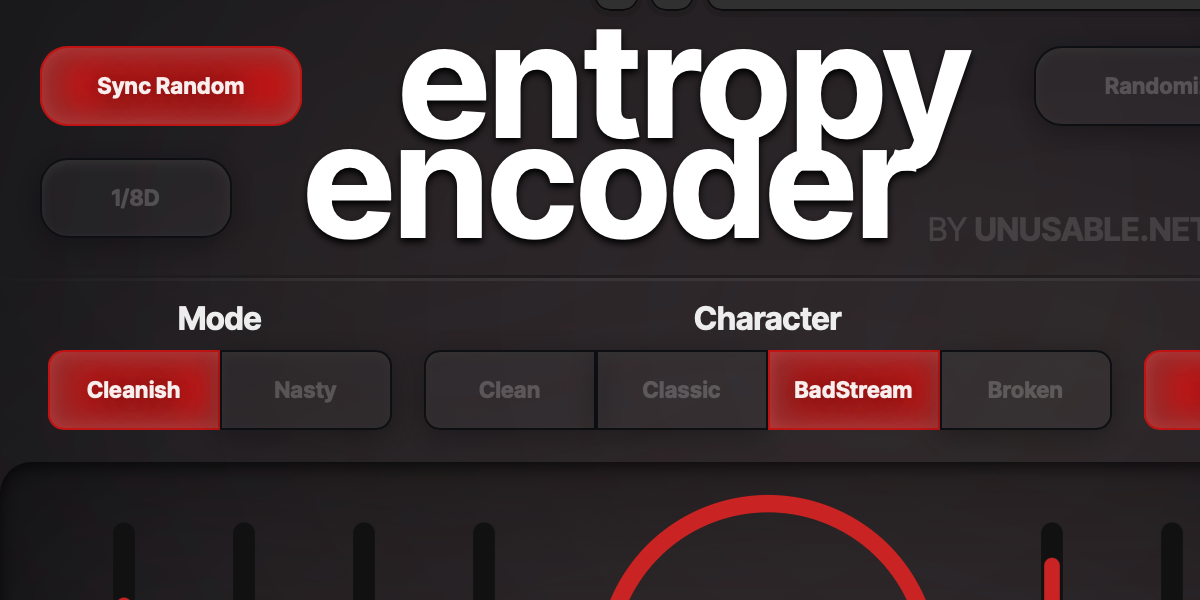
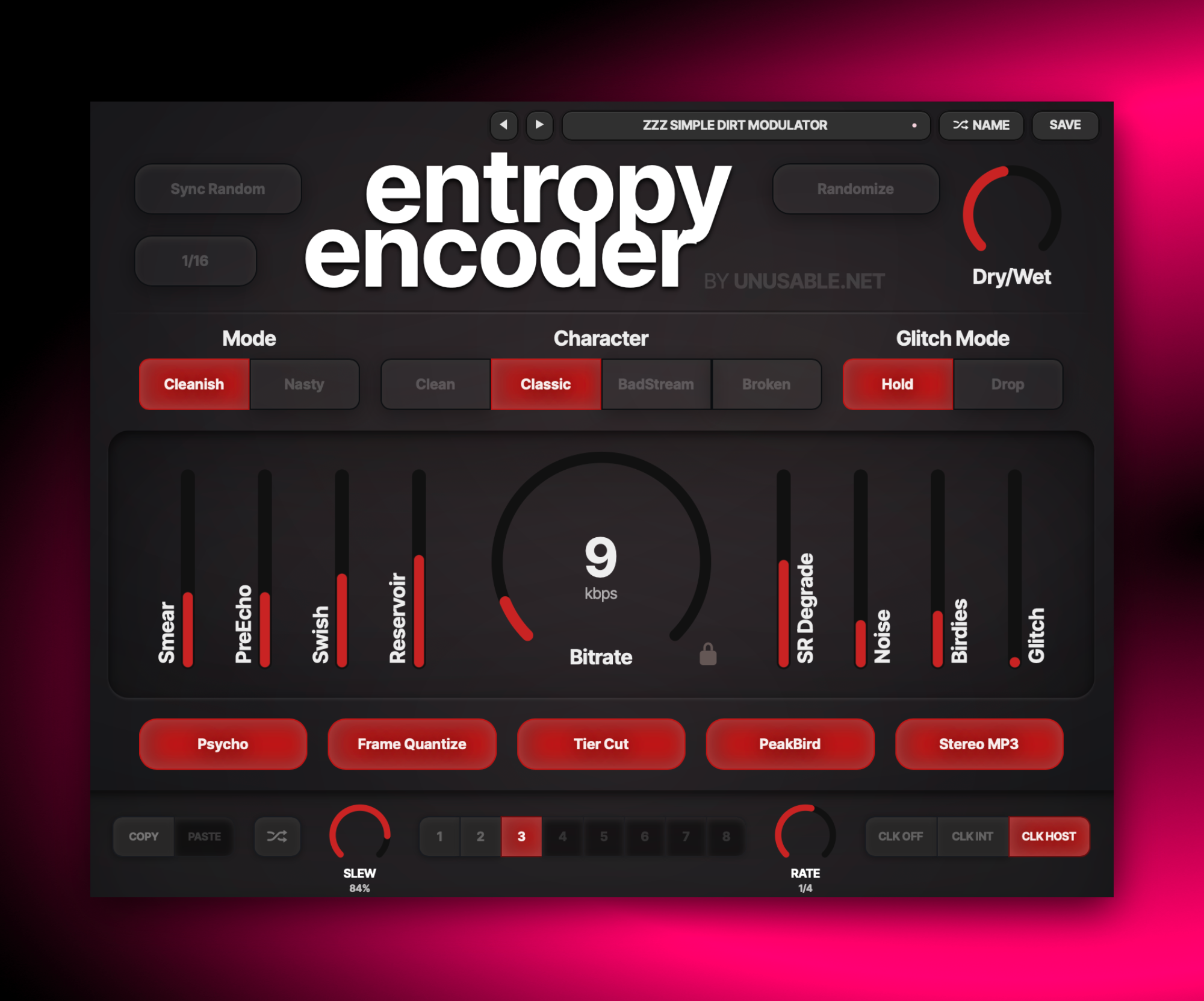
Entropy Encoder

A creative codec-decay effect for digital nostalgia and intentional deconstruction and loss.

DegradationAU/VST3Mac/Win

1.3.3 - 2026-09-16

Slot Sequencer

  • Fixed automatic slot sequencing and parameter slew flooding the host's undo history.

1.3.2 - 2026-09-01

Slot Sequencer

  • Parameters held while sequencing now overwrite every slot passed during the gesture.
  • Added Cmd/Ctrl+click slot preview, which pauses sequencing and auditions the selected slot without slew.

Shortcuts And History

  • Added active-slot copy and paste with Cmd/Ctrl+C and Cmd/Ctrl+V.
  • Added multi-step undo with Cmd/Ctrl+Z.
  • Added redo with Cmd/Ctrl+Shift+Z.

Interface Stability

  • Fixed occasional parameter and interface lockups after interrupted WebView gestures.
  • Added automatic WebView recovery if the macOS WebKit content process terminates.

What it is

Entropy Encoder is a degradation effect inspired by perceptual codec failure behavior. It does not perform actual file encoding; instead, it models recognizable artifacts associated with low-bitrate and unstable streaming playback.

It introduces swish, chirping high-frequency artifacts, pre-echo style smear, frame-like stepping, and controlled stream-failure gestures. Parameters can be sequenced, automated or rhythmically randomized, so degradation can feel synchronized and intentional rather than purely random.

Use it for lo-fi transitions, broken-top texture on drums, unstable ear-candy on synths, or vocal details that need digital stress without complete intelligibility loss. It is equally good for subtle friction and full collapse moments. And it is a great way to introduce high-end grit for further processing.

Highlights

Codec-style artifacts

Swish, birdies, smear, and pumping behavior modelled for musical use.

Sequencing + sync random

Trigger controlled or uncontrolled entropy shifts on musical note divisions.

Stereo and stream-failure modes

Explore collapse and instability behaviors beyond basic bit crushing.

Full walkthrough

A quick walkthrough of Entropy Encoder covering its functionality, as well as the philosophy behind it and also showing it off on various sound sources.

Slot sequencer

Entropy Encoder is one of the clearest examples of why the slot sequencer can matter more than ordinary automation. Different slots can hold very different codec-failure behaviours, smear balances, and glitch attitudes, and the slew between them turns those states into moving degradation rather than static digital damage.

That means you can let the artifact character drift over time instead of leaving one broken stream model running for the whole passage. At slower rates it can feel like the signal is passing through changing transmission conditions, and at faster ones it can become a controllable rhythmic instability.

Watch slot sequencer video
Reference

Quick user guide

Entropy Encoder recreates the audible decisions and failures associated with perceptual audio codecs without encoding the signal to a file. This guide covers bitrate and character, artifact controls, randomization, slot sequencing, presets, and editing gestures.

01

Bitrate, mode, and character
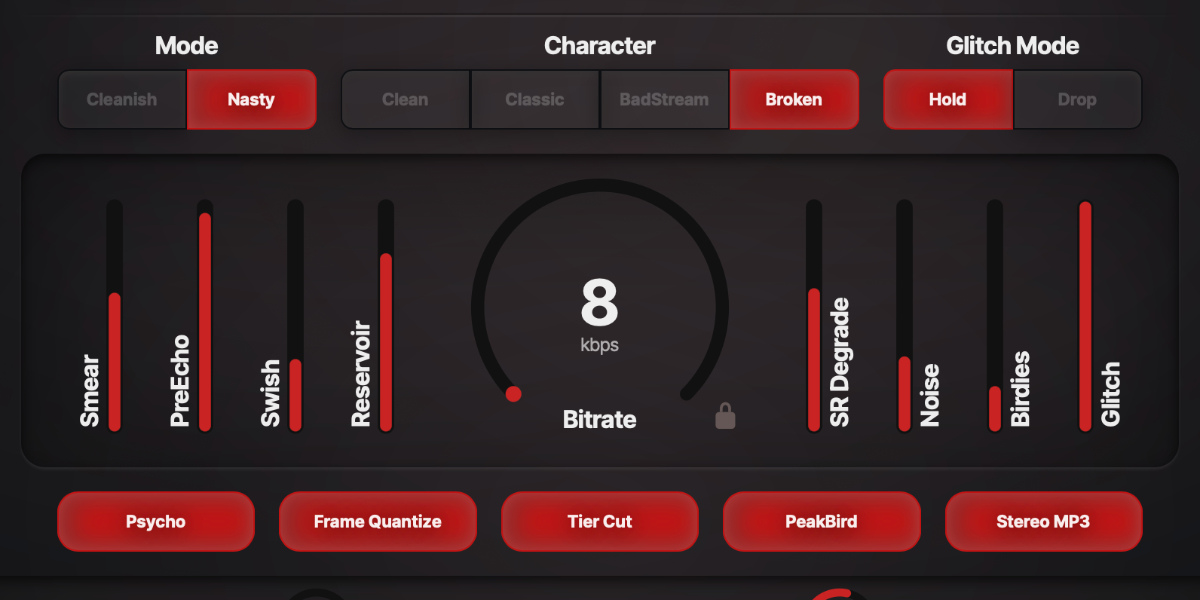
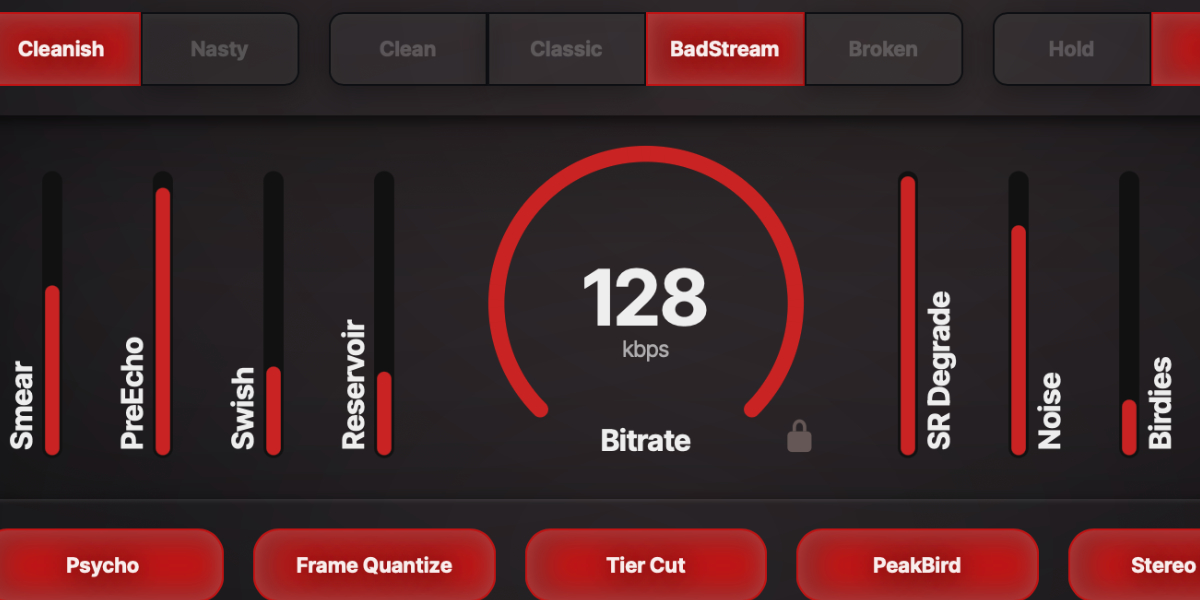
Entropy Encoder mode, character, bitrate, and Dry Wet controls

Bitrate sets the overall quality budget. Mode changes the severity of the underlying quantization, while Character scales several artifact systems together to provide four starting attitudes.

Bitrate runs from 8 to 128 kbps. Lower settings reduce high-frequency detail, increase stepping, and make the artifact controls more pronounced.

Cleanish uses the less aggressive quantization behavior.

Nasty reduces the available resolution and increases the severity of low-bitrate movement.

Clean reduces smear, noise, birdies, pre-echo, and sample-rate degradation relative to their knob settings.

Classic uses the neutral reference scaling for the individual artifact controls.

BadStream pushes noise, smear, pre-echo, and high-frequency degradation further.

Broken uses the strongest character scaling for unstable and damaged-stream results.

Dry/Wet crossfades between the original input and the complete processed signal.
02

Codec artifact controls

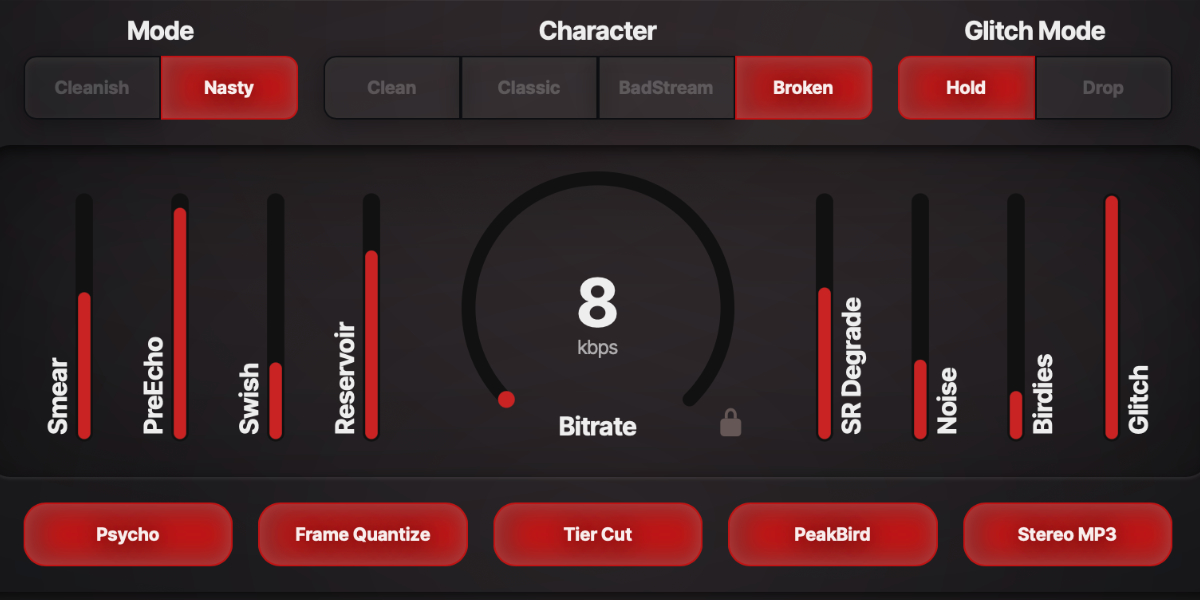
Entropy Encoder bitrate knob and eight codec artifact faders

The vertical controls separate the degradation into recognizable codec behaviors. Their effective strength also follows Bitrate, Mode, and Character, so the same settings become more obvious as quality falls.

Smear softens time and spectral detail so attacks and high-frequency texture lose definition.

PreEcho adds transient-dependent early smear before sharp attacks. It is most audible on cymbals, percussion, piano, and other fast material.

Swish adds slow movement to the high-frequency noise texture, producing the breathing or underwater quality associated with low-bitrate streams.

Reservoir sets how strongly the simulated bit reservoir responds to easy and difficult passages, making quality allocation pump with the source.

SR Degrade reduces time resolution in the upper bands for crunchy, held, or telephone-like high-frequency motion.

Noise sets the amount of shaped quantization-style noise added to the processed bands.

Birdies adds narrow, whistling high-frequency tones whose strength increases as bitrate falls.

Glitch sets the probability of short high-frequency packet-failure events. Events become more likely at low bitrate.

03

Codec decisions and glitch modes

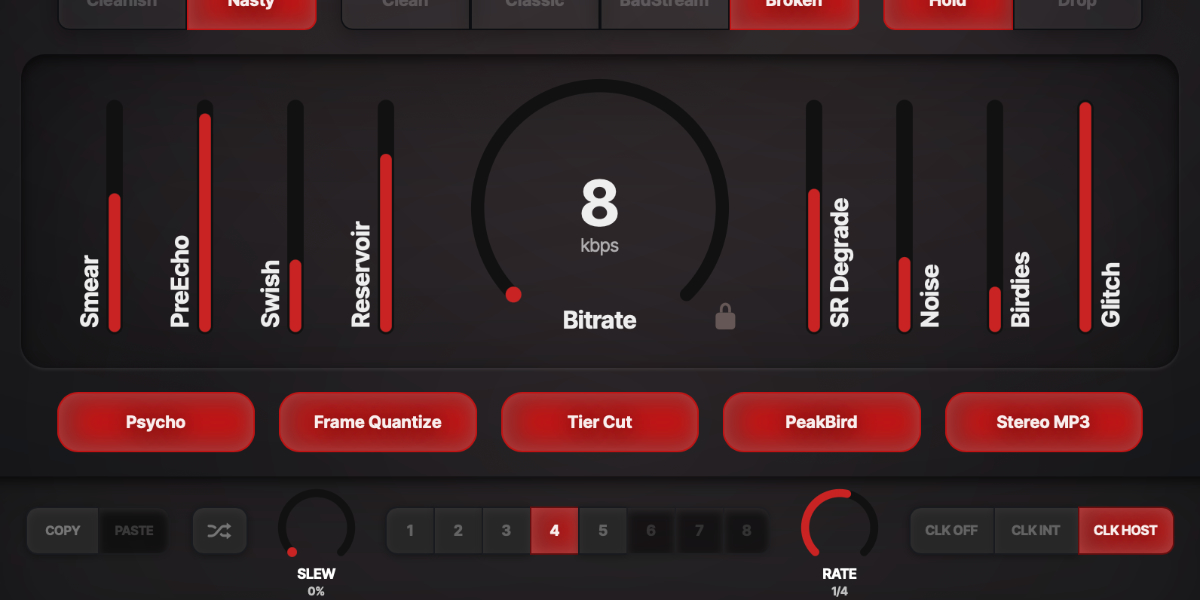
Entropy Encoder Psycho, Frame Quantize, Tier Cut, PeakBird, Stereo MP3, and Glitch Mode controls

The lower switches determine how the processor makes encoder-like decisions. Glitch Mode selects what happens when the Glitch control triggers a failure.

Psycho uses the input analyzer to steer masking, bit-reservoir pressure, and artifact placement. Off uses a more static response.

Frame Quantize applies bitrate changes on frame-style boundaries instead of continuously, making automation step like encoder decisions.

Tier Cut snaps the high-frequency cutoff to discrete codec-style tiers instead of moving as a smooth low-pass filter.

PeakBird lets birdie tones follow strong detected spectral peaks instead of using only free-running random frequencies.

Stereo MP3 adds frequency-dependent joint-stereo behavior, with stronger high-frequency collapse and intensity-stereo character at lower quality.

Hold repeats the previous high-frequency frame when a glitch occurs, creating a short buffer-hold or stutter.

Drop removes the high-frequency frame during a glitch, creating a brief loss of air while lower content remains.

04

Manual and synchronized randomization

Entropy Encoder Randomize, Sync Random, Sync Division, and bitrate lock controls

Randomize creates a new codec condition, while Sync Random generates new states from the DAW clock. Both update the active slot so the generated result remains part of the slot pattern.

Randomize generates new mode, character, artifact, option, and bitrate settings. Dry/Wet, Sync Random, Sync Division, and the trigger itself remain unchanged.

Bitrate lock prevents randomization and slot playback from changing Bitrate while allowing all other included parameters to move.

Sync Random generates a new randomized state on host-clock boundaries.

Sync Division sets the randomization interval from 1/32 through triplet and dotted values to one bar.

Generated random values update the sound and slot contents without writing every generated value as host automation.

05

Slots and slot sequencer

Entropy Encoder slot copy, paste, random, slew, rate, slots, and clock controls

Eight slots store complete codec states, including Dry/Wet, while leaving Sync Random, Sync Division, and the Randomize trigger global. The sequencer moves between enabled slots and slews each included parameter independently.

1-8 select a slot and show its stored state.

Copy / Paste copies or pastes the complete selected slot state.

Random creates randomized content for the selected slot.

CLK OFF stops automatic stepping. Manual slot changes and randomization still use Slew.

CLK INT runs from the internal clock. Rate is displayed in Hz.

CLK HOST runs from DAW transport and changes Rate to musical divisions.

Slew sets interpolation time between slot states. Other parameter lanes continue independently while one control is being edited.

Rate sets internal speed or host-clock division, depending on the selected clock source.

Holding a parameter while slots advance writes that value into every incoming slot and prevents that control from jumping. Other parameters continue their existing slew.

Shift-click or double-click slot
Enable or disable that slot. At least one slot always remains enabled.
Cmd/Ctrl-click slot
Preview and lock that slot, pause sequencing, and show a white inset outline.
Cmd/Ctrl+C / Cmd/Ctrl+V
Copy or paste the selected slot.
Cmd/Ctrl+Z
Undo the previous edit gesture.
Cmd/Ctrl+Shift+Z
Redo an undone gesture unless a new edit has cleared the redo history.
06

Presets and control shortcuts

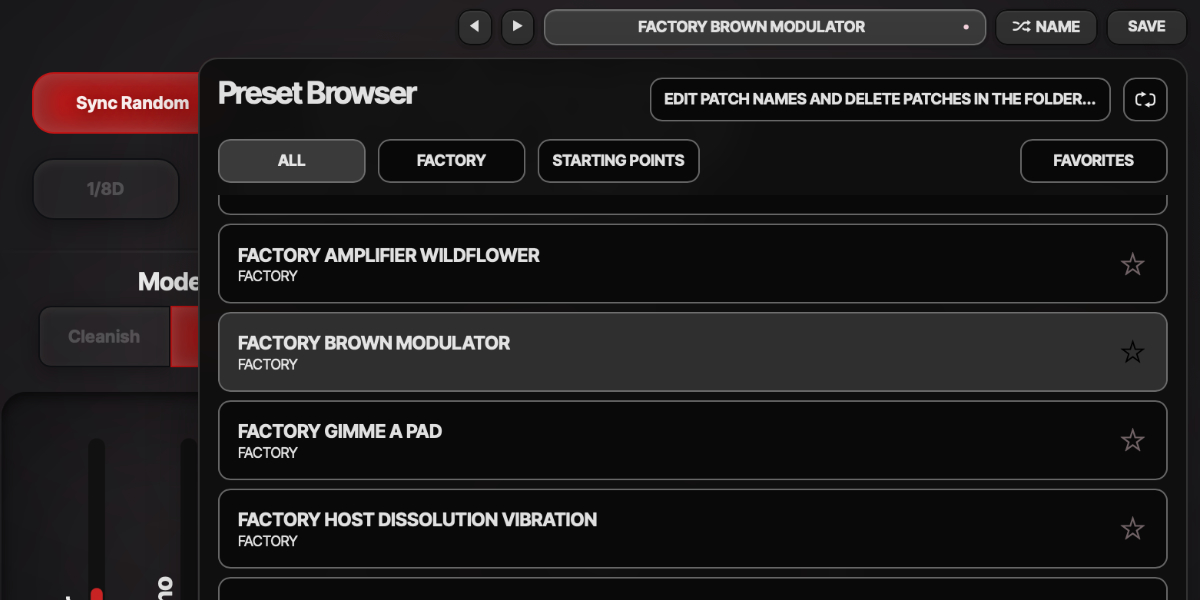
Entropy Encoder preset navigation, name display, and save controls

The preset name opens the browser. Presets store the complete plug-in state, including all eight slots, bitrate lock, and sequencer settings.

Preset arrows step through available presets and wrap between the first and last entries.

Preset name opens the preset browser.

Name generates a preset name.

Save writes the complete state. Saving without first generating a name creates one automatically.

Factory / User / Starting Points / Favorites filter the preset browser.

Versioned Save writes a numbered copy when the current preset has changed.

Folder opens the preset directory for external renaming or deletion.

Refresh reloads externally renamed or deleted preset files.

Double-click control
Reset it to the initial value.
Cmd/Ctrl-click or Option/Alt-click control
Reset it to the initial value.
Wheel over control
Adjust without dragging.
Option/Alt-wheel
Fine adjustment.
Shift-wheel
Coarse adjustment.

Recommended for

  • Textural ear-candy on top-end elements
  • Stylized transitions and intro breakdowns
  • Creative vocal or synth degradation with rhythmic control

Fit and focus

Great fit for:

  • digital artifact aesthetics
  • creative lofi processing
  • rhythm-aware degradation workflows

Questions people ask

What is Entropy Encoder?

It is a creative degradation plugin that emulates recognizable codec-failure behaviors in a controllable, rhythm-aware way.

How is it different from a simple bitcrusher?

A bitcrusher mostly reduces resolution. Entropy Encoder models broader codec-like behavior, including smear, artifact chirp, and stream-style instability.

Who is it for?

Sonic explorers who want intentional digital decay as a musical element, to add a bit of noise nostalgia to clean material.

What does it do to sound?

It introduces animated digital wear: blurry edges, unstable highs, stepping motion, and rhythmic texture that can be subtle or extreme. It fits best in early in a chain, giving the other plugins more grit to chew on.

Compatibility

macOS 12+, Windows 10/11
macOS: AU/VST3, Windows: VST3

These plugins use detailed real-time processing and are happiest on reasonably recent CPUs, especially when several instances are running at once.

Slot sequencer

A shared walkthrough of the Unusable slot sequencer system, including how stored states, stepping, and slew can turn a static patch into motion.

Preset system

A shared walkthrough of the Unusable preset system, with practical tips for saving, naming, organizing, and moving between ideas.

Bundle option

Also available in bundle form

If this plugin fits your workflow, there is a good chance one of the bundles will fit even better and reduce total spend.

Emulated Effects Pack

Six circuit-inspired effects for fuzz, modulation, filtering, spring space, and controlled digital decay.

€79.00€174.00incl. 25% VAT

Includes 6 products.

Full Suite v2

All unusable tools in one package, built to surprise, inspire, and keep the creative process moving.

€179.00€496.00incl. 25% VAT

Includes 16 products.