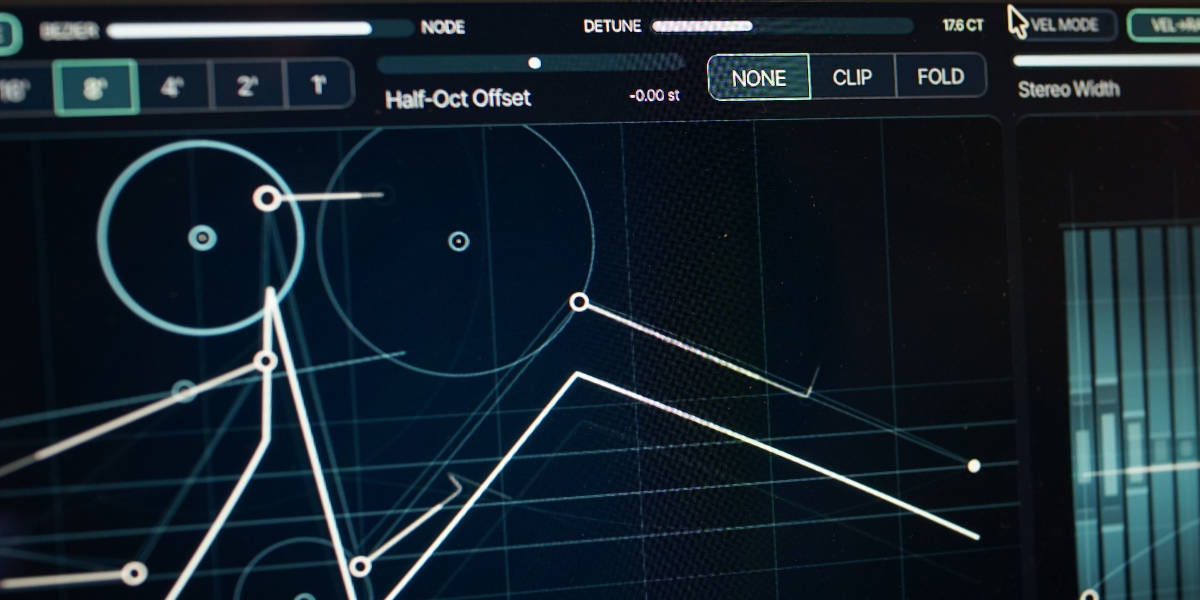
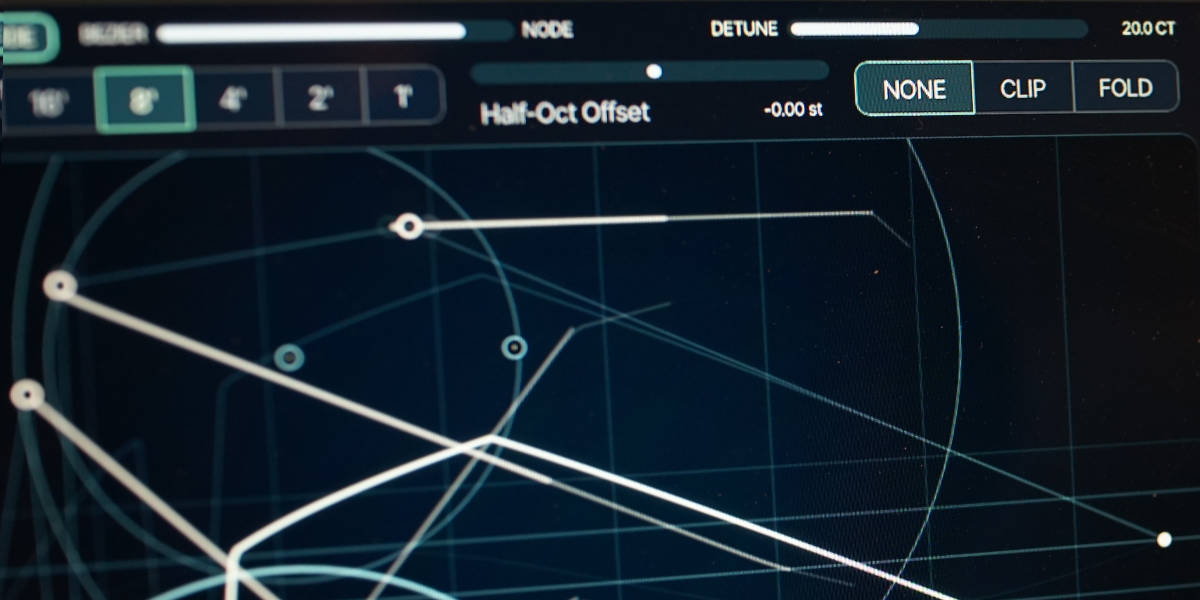
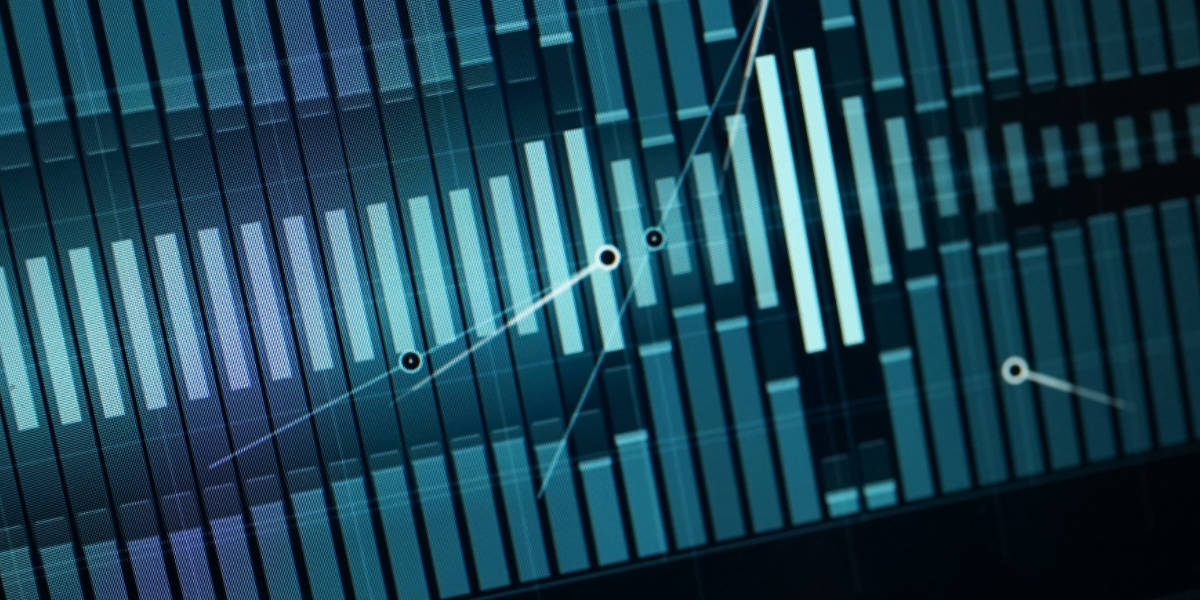
Added dimmed waveform overlays showing each active voice and its current level.
Disabled filter keyboard-follow and controller responses that do not apply in Four Voice Mode.
Increased polyphonic headroom before the filter while restoring level afterward.
Reduced unnecessary DSP by skipping inactive polyphonic and redundant monophonic processing.
Velocity Slot Morphing
NO CLK + KBD RST enables velocity -> slot control.
Preset Slew controls how widely velocity interpolates between slot geometries.
Supports both monophonic playing and independent geometry for each active voice in Four Voice Mode.
Waveform Editing
Added Shift-drag axis locking for nodes and handles.
The initial movement chooses horizontal or vertical locking.
Added Option/Alt-drag to scale the complete waveform vertically around the centerline.
Scaling preserves horizontal positions and relative amplitudes.
Crossing the centerline produces an inverted version of the waveform.
Upward scaling stops before the highest node exceeds the canvas.
Sequenced scaling records the current gesture into every slot passed during the drag.
Smoothed manual Bézier/node morph changes.
Improved anti-aliasing for sharp node waveforms, LFO modulation, and detuned high notes.
Slot Copy And Paste
Copy and Paste now include all point positions, Bézier/node morph, clip/fold, detune, half-octave offset, and pitch-LFO settings.
Copy and Paste target the currently displayed velocity or CC4 slot.
Shortcuts And History
Added slot Copy and Paste using Cmd/Ctrl+C and Cmd/Ctrl+V.
Added multi-step Undo using Cmd/Ctrl+Z.
Added Redo using Cmd/Ctrl+Shift+Z.
Interface And Performance
Reduced WebView telemetry, snapshot, and animation work.
Reduced unnecessary redraws while editing and sequencing.
What it is
I have always loved one-oscillator mono synths. When they are done right, the simplicity and its one big sweet spot, is just enough to give the player an expressive voice. Curves & Membranes was built with that mindset, but with a rather different engine under the hood: a repeating single-cycle Bézier or node waveform, plus a filter model based on vibrating membrane lanes. A synth with a sound on its own, with a surprisingly wide sonic-palette.
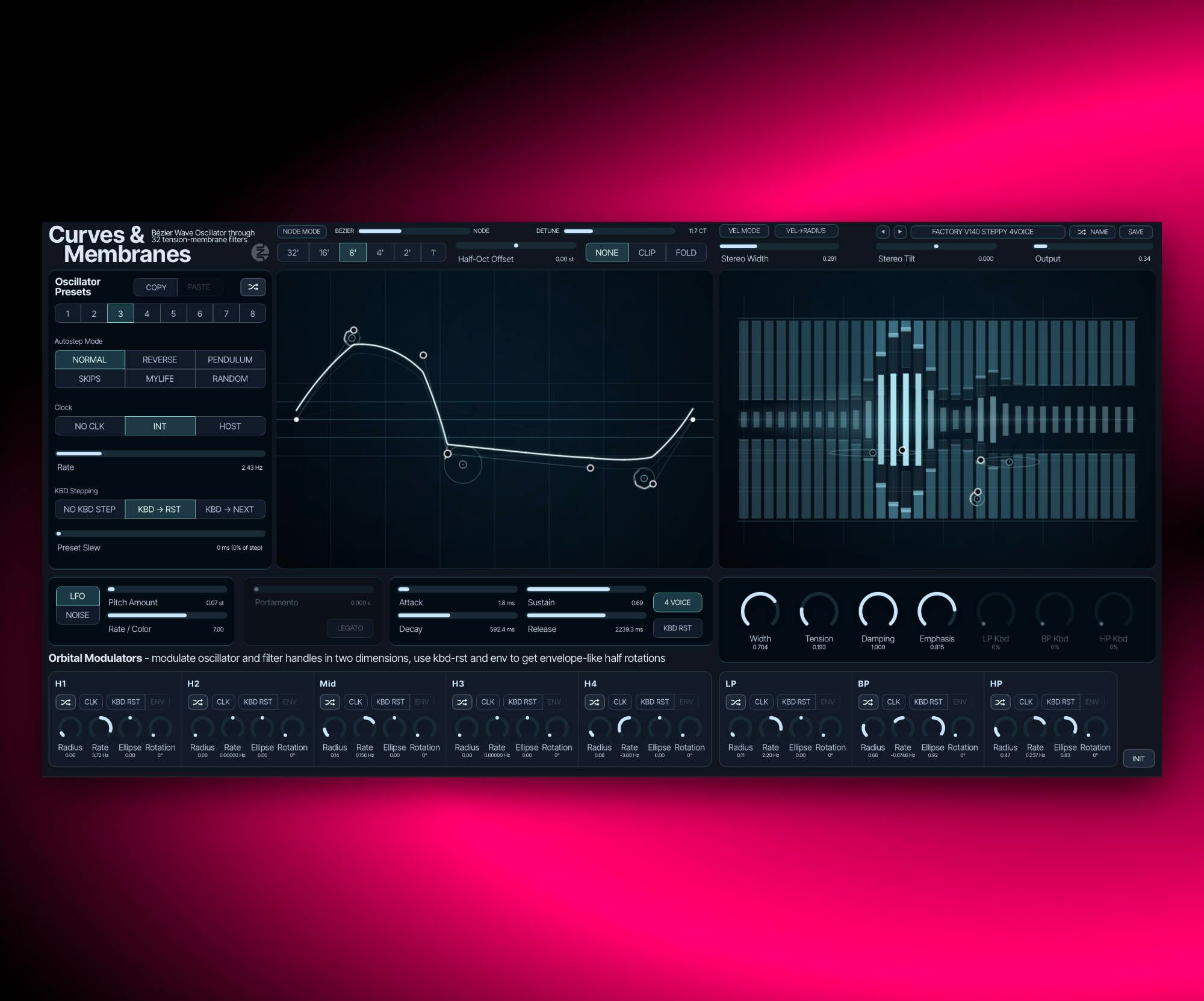
The oscillator runs in three wave-distortion modes: None, Clip, and Fold. You shape the waveform by moving handles and nodes, then animate it with two modulation concepts running in parallel: an 8-slot wave preset bank with slew/clocked stepping, and independent orbital modulators for each node and handle. In the filter stage, 32 membrane lanes react to LP, BP, and HP actuator points in parallel, with damping, tension, width, emphasis, and keyboard tracking changing the response.
It works well for bass lines with movement, expressive leads, string quartet sounds, and long evolving drone material. You can keep it simple and musical, or push into stranger territory with wave sequencing and orbital motion. Either way, the goal is the same: interesting timbre movement without losing pitch stability or playability.
Highlights
Bézier single-cycle oscillator
Build wave shape from handles and node movement instead of fixed oscillator tables.
None, Clip, and Fold modes
Switch between clean wave shaping, boundary clipping, and folding behavior for different harmonic responses.
Oscillator Preset Bank + Slew
Store 8 waveform and oscillator states, randomize instantly, and morph between them with continuous slew.
Wave Sequencing Clock
Run preset stepping from internal or host clock, with order control and keyboard-triggered stepping options.
Orbital modulators per point
Each point and handle gets an orbital modulator with rate, ellipse, rotation, key reset, and ENV mode.
32-lane membrane filter model
LP, BP, and HP actuators run in parallel with damping, tension, width, emphasis, and keyboard tracking.
Full walkthrough
A complete 16-minute walkthrough of Curves & Membranes covering oscillator shaping, orbital modulation, membrane filter behavior, and workflow.
Filter walkthrough
A complete 6-minute walkthrough of the Curves & Membranes filter, with a focus on membrane vibrations and their effect on the overall character of the synth.
New functions
A walkthrough of the expanded oscillator presets, Bézier-to-Node interpolation, auxiliary oscillator, slewed overflow modes, and new workflow features in v1.3.5.
A walkthrough of the Curves & Membranes node mode added in v1.0.3, explaining how the new oscillator mode works.
A walkthrough of the Curves & Membranes velocity-to-radius mode added in v1.0.3, showing how velocity can drive the oscillator radius behavior.
Reference
Quick user guide
The interface is divided into waveform shaping, slot motion, performance modes, pitch modulation, the membrane filter, envelopes, output, and orbital modulation. This guide covers the current voice modes, slot workflows, expression mappings, and editing shortcuts.
01
Signal and voice modes
The oscillator creates a repeating single-cycle shape and sends it into one shared bank of 32 membrane filters. The default mode is monophonic; 4 Voice adds independent oscillator voices while keeping the membrane section paraphonic.
Half-Oct Offset adds a slot-specific pitch offset from -6 to +6 semitones.
Detune adds a second copy of the waveform at an adjustable detuning. The value belongs to the active slot.
4 Voice enables four round-robin oscillator voices with voice stealing. All voices still pass through the same membrane filter bank.
In 4 Voice mode, LP, BP, and HP keyboard tracking are disabled and portamento is unavailable.
MTS-ESP applies tuning from a compatible tuning source in both voice modes.
02
Waveform editor
Five movable points define the single-cycle waveform. Bézier mode treats the outer points as curve handles around the midpoint; Node mode joins the same geometry as straight segments. The blend control continuously interpolates between the two models.
Bézier / Node morphs between curved and straight-segment interpretations of the saved geometry.
Node Mode jumps the blend between the two endpoints.
None uses the unrestricted waveform shape.
Clip clips excursions at the waveform boundary.
Fold folds excursions back from the boundary.
Background traces show guidance geometry and, in 4 Voice expression workflows, the dimmed waveforms currently used by active voices.
Shift-drag point
Lock movement to the first detected horizontal or vertical axis. Release Shift for free movement.
Option/Alt-drag point
Scale every vertical point value around the center line while preserving horizontal positions and relative levels. Crossing zero inverts the shape.
Double-click point
Move that point to the center line without changing its horizontal position.
Drag during sequencing
Write the held geometry change into every slot passed during the gesture.
03
Slots and slot editing
Eight slots store independent oscillator states. A slot contains the complete point geometry, Bézier/Node blend, overflow mode, detune, half-octave offset, and the pitch LFO or noise settings.
A slot button selects that slot for editing and immediate audition.
Copy / Paste copies or pastes the complete slot state, including all non-waveform values stored in the slot.
Random generates new waveform geometry for the selected editing slot.
A white outline shows that a slot is locked for editing. Clock, keyboard stepping, CC4, and velocity positioning cannot move away from it until the lock is cleared.
Holding an edit while a sequence runs writes the changed parameter into every slot passed during the gesture. Releasing the control ends the write gesture.
Shift-click slot
Enable or disable the slot.
Double-click slot
Enable or disable the slot.
Cmd/Ctrl-click slot
Solo the slot. Repeat to clear solo; select another slot to move solo.
Cmd/Ctrl+C / Cmd/Ctrl+V
Copy or paste the selected slot.
04
Slot sequencer and positioning
The slot sequencer moves through enabled slots and interpolates all values stored in them. Clocked movement, keyed stepping, CC4, and velocity positioning share the same active-slot path.
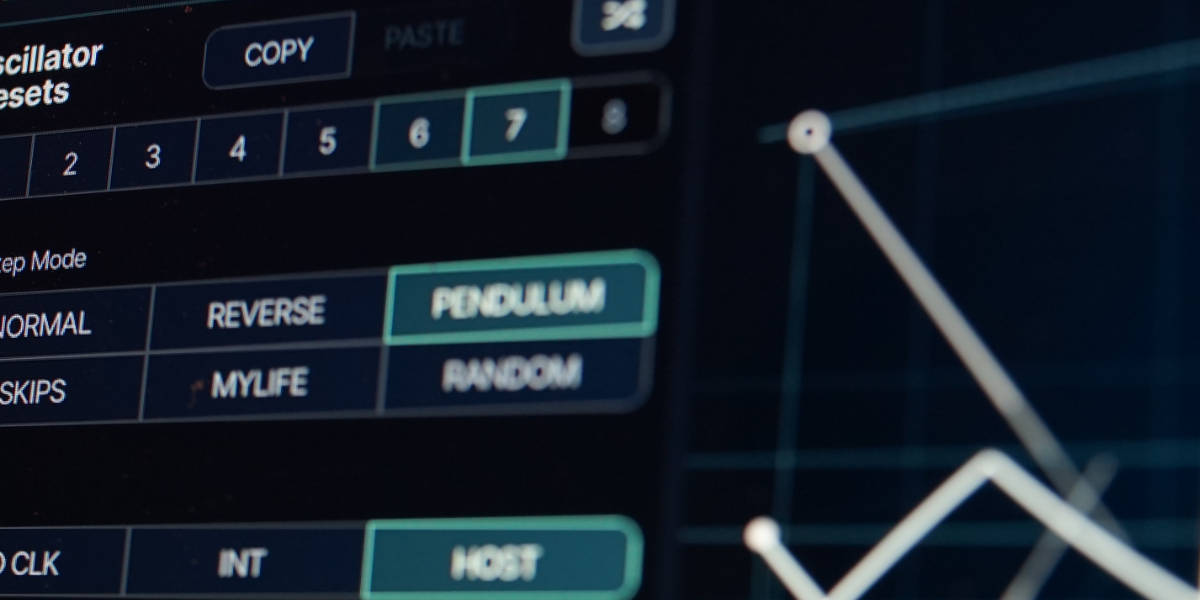
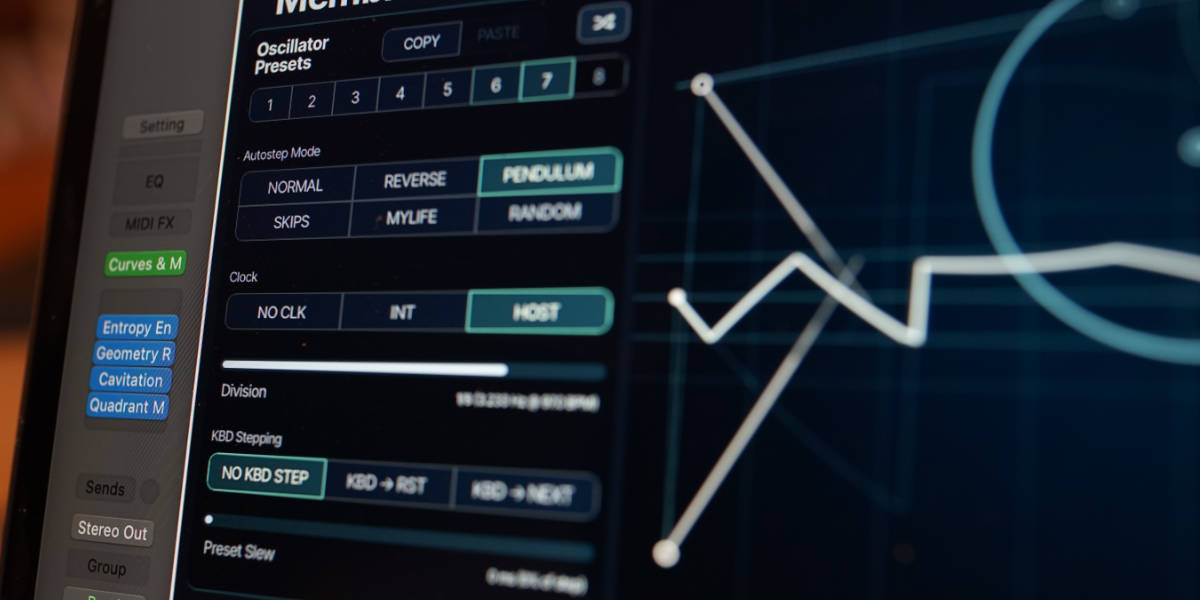
Normal / Reverse / Pendulum / Skips / Mylife / Random define the order used when advancing through enabled slots.
No Clk disables continuous stepping and enables manual, keyed, CC4, or velocity-based positioning.
Int runs the sequence from the internal rate.
Host runs from musical divisions of the DAW clock.
KBD -> RST returns to the first enabled slot on note-on. With No Clk, note velocity instead selects a position across the enabled slots.
KBD -> NEXT advances to the next slot on note-on.
CC4 sweeps continuously across enabled slots when No Clk and No KBD Step are selected.
Preset Slew sets transition time for manual or keyboard stepping. During clocked sequencing it becomes a percentage of each step; during CC4 movement it sets how much of each CC region is interpolated.
05
Velocity control
Velocity can shape amplitude, filter movement, slot position, and orbital depth. The available behavior depends on the selected voice and clock modes.
Vel Mode increases the dynamic range of note level and, in mono mode, moves the LP, BP, and HP actuators to brighten harder notes.
No Clk + KBD -> RST maps note velocity across the enabled slots. In 4 Voice mode, each new voice keeps the geometry selected by its own velocity.
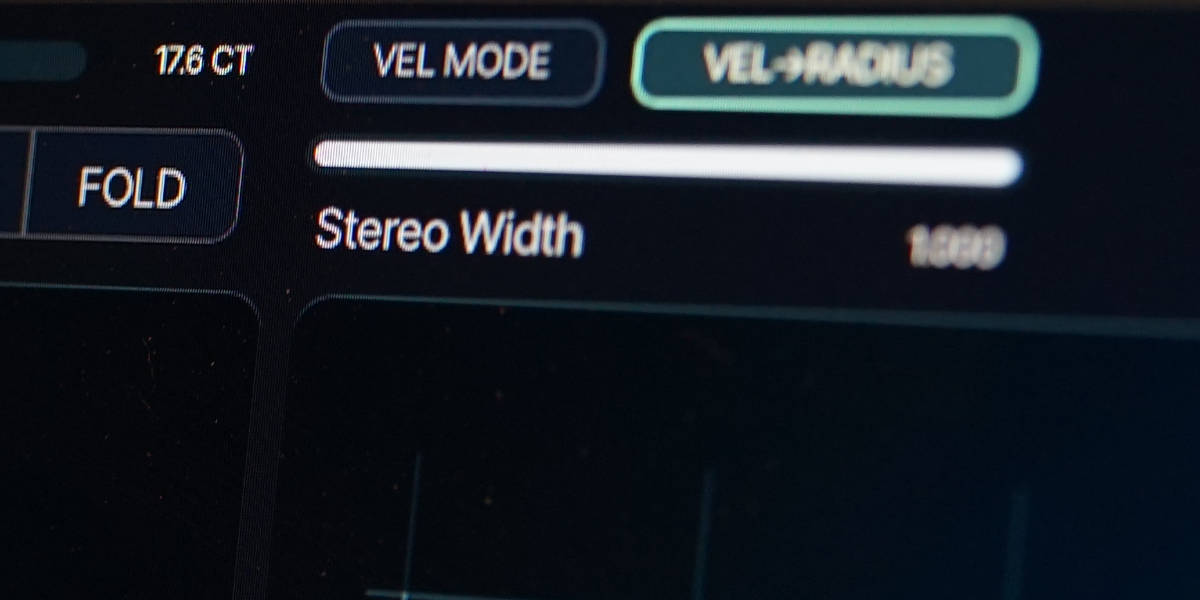
Vel -> Radius scales the radius of every oscillator and filter orbit from note velocity. Soft notes reduce motion; harder notes expand it.
4 Voice keeps velocity-based oscillator-slot selection per voice. Velocity-driven filter movement remains disabled.
06
EXP mode and MPE
Clicking the Unusable symbol enables EXP mode. It replaces clock and keyboard slot stepping with expression control, uses a 48-semitone pitch-bend range, and makes pressure part of the amplifier response.
Unusable symbol toggles EXP mode. Clock and KBD stepping are temporarily disabled; their previous settings return when EXP mode is turned off.
Pressure adds a smoothed pressure-controlled layer to the amplifier envelope. With Attack, Decay, and Sustain at minimum, pressure directly controls level and Release remains available.
Pressure opens the shared membrane response in mono EXP mode without changing orbital radius.
Pitch bend uses a fixed +/-48 semitone range in EXP mode.
CC74/Slide duplicates CC4 slot positioning. In EXP + 4 Voice mode, each MPE channel controls its own voice geometry.
EXP + 4 Voice gives each voice independent pressure, pitch bend, and CC74 geometry while the membrane filter remains shared.
07
Pitch modulation and amplifier
The pitch modulator and amplifier shape are kept compact so movement can remain centered on slots, geometry, and the membrane model.
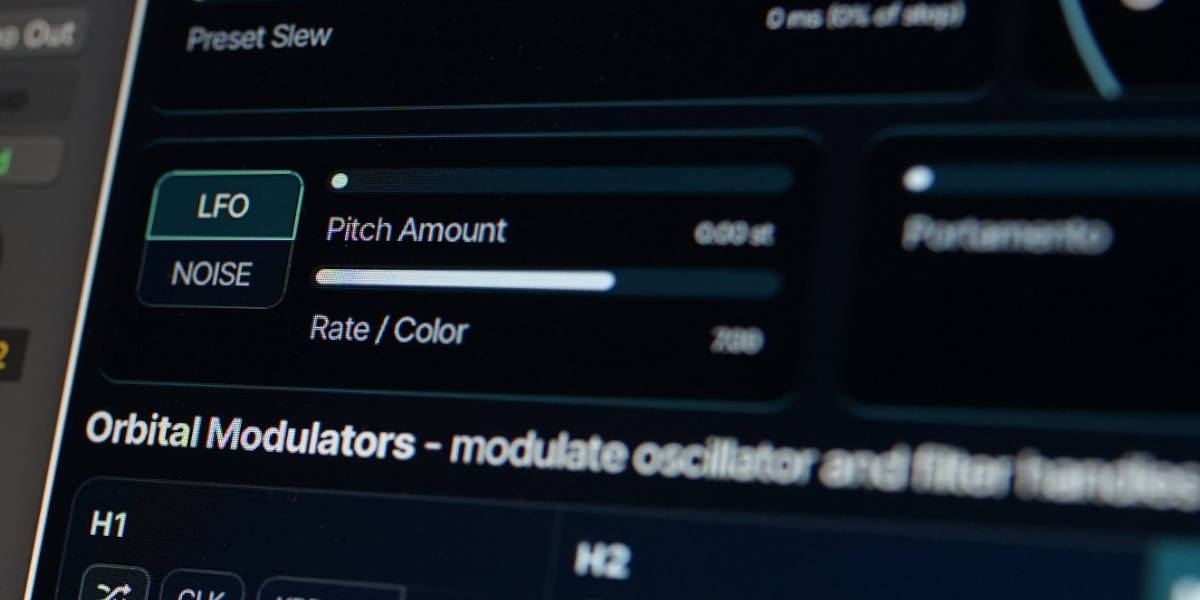
LFO / Noise selects periodic pitch modulation or a smoothed random source. Mode, amount, and rate/color are stored in every slot.
Pitch Amount sets pitch-modulation depth in semitones. The mod wheel scales the available depth.
Rate / Color sets LFO speed or the character of the noise source.
Portamento sets mono glide time.
Legato limits glide and key-reset behavior to overlapping notes. Portamento controls are inactive in 4 Voice mode.
Attack / Decay / Sustain / Release shape oscillator level before the filter.
KBD RST forces the envelope to restart from zero on note-on.
08
Membrane filter and output
The right-hand canvas represents 32 resonant membrane lanes excited by three parallel actuator points. Their positions and levels shape the low-pass, band-pass, and high-pass contributions.
LP / BP / HP points drag horizontally to change frequency and vertically to change that actuator's level.
Width changes how broadly each actuator excites neighboring membrane lanes.
Tension changes the relationship and spread between membrane resonances.
Damping controls how quickly membrane energy decays.
Emphasis increases resonant focus.
LP / BP / HP Kbd set independent keyboard tracking in mono mode. They are inactive in 4 Voice mode.
Stereo Width / Tilt set stereo spread and balance through the membrane bank.
Output sets the final level. In 4 voice mode it is followed by a safety limiter. Lower values drive the limiter less.
09
Orbital modulators
Every oscillator point and filter actuator has its own two-dimensional orbit. The path is visible directly around the point it moves.
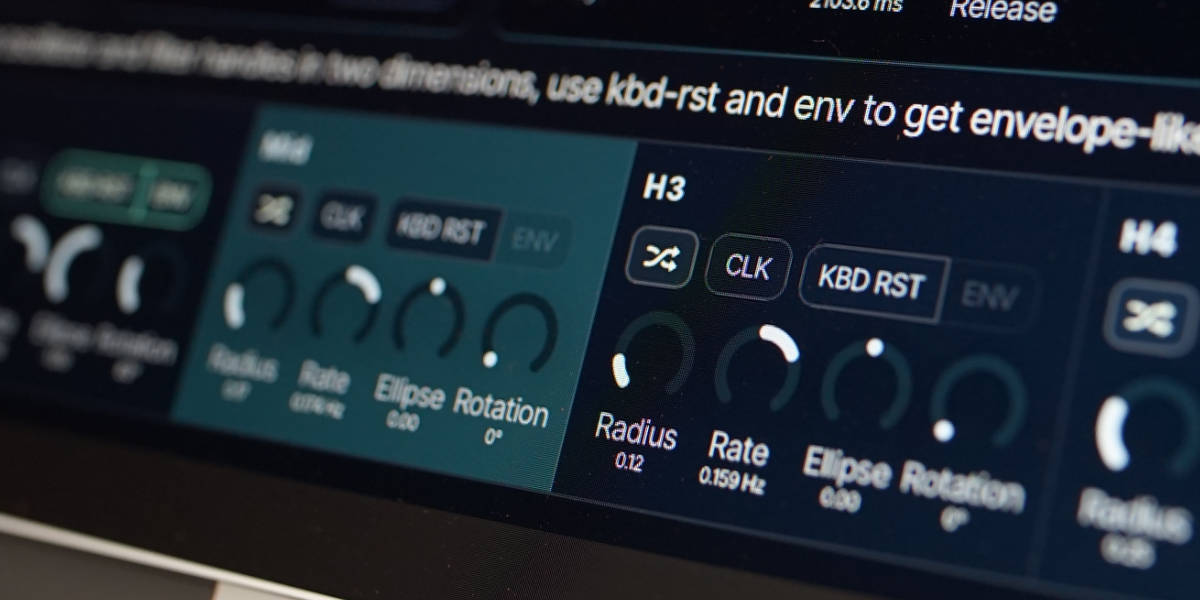
Radius sets the amount of two-dimensional movement.
Rate sets free-running speed and direction.
Ellipse changes the path from circular to progressively flatter movement.
Rotation rotates the ellipse and therefore the balance between horizontal and vertical movement.
CLK replaces free rate with a host-synchronized division.
KBD RST restarts the orbit when a new note is played.
ENV with KBD RST active, changes the orbit into an envelope-like half revolution.
Random randomizes the controls for that individual orbital modulator.
10
Presets and editing shortcuts
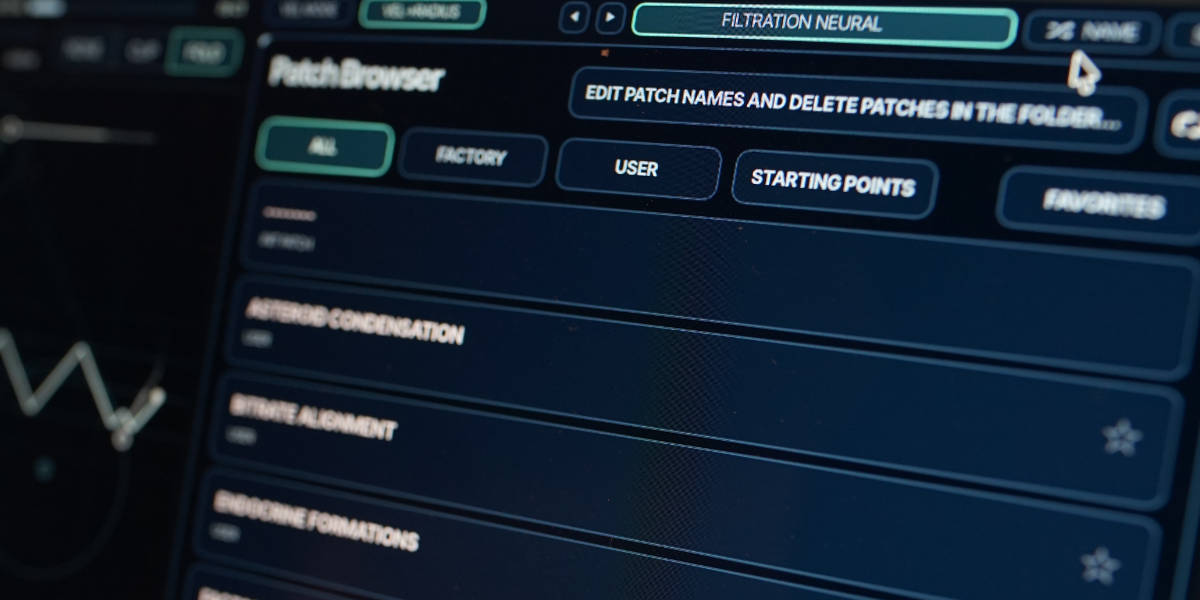
The preset name display opens the browser. Preset names come from filenames, and the browser provides factory, user, starting-point, and favorite views.
Name generates a preset name.
Save writes the complete synth state to the current preset filename.
Factory / User / Starting Points / Favorites filter the preset browser.
Versioned Save writes the next free numerical suffix when the current preset has changed.
Folder opens the preset directory for external renaming or deletion.
Refresh reloads filenames and deletions made outside the plug-in.
Shift-click preset arrow
Move ten presets.
Cmd/Ctrl-click preset arrow
Move to the first or last preset.
Cmd/Ctrl+Z
Undo the previous edit gesture.
Cmd/Ctrl+Shift+Z
Redo the previous edit gesture.
Double-click control
Reset it to the initial-patch value.
Cmd/Ctrl-click or Option/Alt-click control
Reset it to the initial-patch value.
Option/Alt-wheel
Fine adjustment.
Shift-wheel
Coarse adjustment.
Recommended for
Bass lines with animated harmonics that still sit firmly in tune
Mono leads where timbre motion comes from wave geometry, not just filter sweeps
Drone and soundtrack textures with long evolving overtone movement
Clocked sequences where each note can carry a different waveform state
Experimental patches that stay playable because the interface remains direct
Fit and focus
Great fit for:
one-oscillator mono synth workflows
shape-based synthesis and modulation
experimental DSP with practical playability
Questions people ask
What is Curves & Membranes?
At its core, it is a one-oscillator mono synth plugin with a Bézier waveform engine, two parallel modulation concepts, and a 32-lane membrane-inspired filter. It has evolved offering sequencable detuning, node-based waveforms and 4 voice paraponic mode. The basic idea is to tie visuals geometry to sound, so that each interaction feels and sounds intuitive and musical.
How is it different from a typical mono synth?
Instead of starting from fixed waves and standard LFO-only movement, it combines Bézier and node based shape editing, sequenced wave morphing, and orbital modulation per control point. The filter is also model-driven, with LP/BP/HP actuators interacting over 32 spectral lanes.
Who is it for?
It was originally designed to be simple and intuitive to use. The goal was a synth that could produce interesting timbre movement, but that was simple enough that presets was not needed. Kind of like the Minimoog in that sense.
Is there microtonal support?
Yes. Angine de Poitrine and Aphex Twin aficionados rejoice: Curves & Membranes supports MTS-ESP for all those times when 12 chromatic keys are not enough. This was added in version 1.1.0.
Why not make it polyphonic?
The visual tie has always been a core part of the design. The goal was to keep the interface simple and direct, so that you can see what is happening in the waveform and filter at all times. Polyphony would have made that more complex, and it would have also made the filter model more complicated. Instead, we added 4 voice paraphony in version 1.4.0, which is a decent compromise, though still losing some of the visual simplicity.
What can the Wave Preset Bank and Orbitals do musically?
The Wave Preset Bank can morph or sequence through saved oscillator states for note-by-note timbral variation, making sounds drift out of tune, or become rich and complex, while Orbitals add smooth geometric movement or envelope-like one-shot motion using ENV mode.
How does the sound behave?
Using the original Bézier mode, it has a rather smooth response. While it is great for acid-lines, it never gets nasty. The smooth nature of the curves and the soft response of the membrane filter is giving it a rather unique sound. As you move into node mode, it becomes more aggressive, and it sounds more like other synths. The ideal is however to let it morph and move between these states to generate sounds that has both rhythmic and melodic qualities.
Compatibility
macOS 12+, Windows 10/11 macOS: AU/VST3, Windows: VST3
These plugins use detailed real-time processing and are happiest on reasonably recent CPUs, especially
when several instances are running at once.
The science-native interface simulations are beautiful to watch and interact with, but in larger
sessions, closing plugin windows you are not actively editing can free up resources for other hungry
plugins. Audio processing continues normally.
Sound demo and Patch Ideas
A no-talking walkthrough of different sounds and patch ideas, focused mainly on leads and basses, with a few effect-type sounds as well. The on-screen notes show what is happening in the patches and how different parts of the synth are being used.
A Patch-Making Session, where I start from the INIT setting and making a quite motion rich bass sound. The Frequency Guillotine filterbank is added late in the process for extra movement.
Preset system
A shared walkthrough of the Unusable preset system, with practical tips for saving, naming, organizing, and moving between ideas.
Bundle option
Also available in bundle form
If this plugin fits your workflow, there is a good chance one of the bundles will fit even better and reduce total spend.
Scientist Suite
The science-metaphor lineup: Curves & Membranes, Quadrant Modulator, Spectral Pressure Chamber, Cavitation Fractures, Grain Discharge, and Synaptic Resonance.